
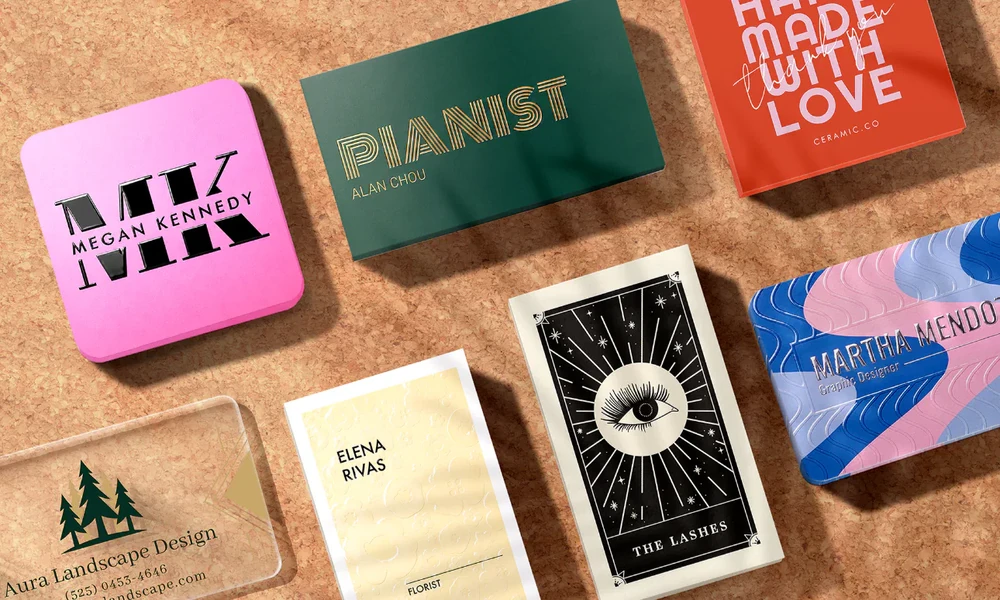

A same-day business card order can solve an urgent need, but speed makes file preparation and production details especially important. Use this checklist to make decisions quickly without sacrificing accuracy or readability.
When same-day printing makes sense
Same-day business cards can help when a meeting, trade show, interview, client visit, or networking event arrives sooner than expected. The service is most practical when the design is already approved and the printer has suitable stock available. A rush order is not a substitute for planning, however. Limited paper options, finishing restrictions, cutoff times, and local delivery distances can affect what is possible. Before placing an order, confirm the actual collection or delivery time rather than relying on a general same-day label. If you are attending a formal event, check whether the organizer expects a particular contact format or whether a digital profile will be used alongside printed cards. Keep the printed information consistent with the profile recipients will see.
Prepare the information first
Finalize every detail before uploading the file. Check the spelling of names, job titles, company name, telephone number, email address, website, and any social or booking link you genuinely want recipients to use. Decide whether the card needs a physical address, QR code, or short service description. Too much information can make the card hard to scan quickly. If several employees need cards, confirm each person’s details in a single approved list so that names and contact information are not mixed up during a rushed production process. Prepare a final approved spreadsheet for multiple names and have one person check it against the source. This reduces the risk of spelling errors, swapped phone numbers, or inconsistent job titles across a batch.
Choose a readable layout
A business card has limited space, so hierarchy matters. Make the person’s name and primary contact method easy to find, then use type size and spacing to separate secondary details. Avoid placing important text too close to the edge, and do not rely on tiny fonts to fit every possible service. Strong contrast between text and background improves legibility in different lighting. A clean layout usually communicates more confidently than a crowded design filled with icons, slogans, and multiple competing colors. View the artwork at its actual printed size, not only enlarged on a monitor. Small spacing problems and low-contrast details are easier to notice when the design is viewed as a recipient will see it.
Use the printer’s specifications
Different printers may request different document sizes, bleed allowances, color settings, and file formats. Download the selected provider’s template and follow its instructions instead of assuming that every shop uses the same dimensions. Keep critical text inside the safe area and extend background colors or images through the required bleed. Export the final artwork in the requested format, commonly a print-ready PDF, and check that fonts and images display correctly. The print provider’s own template is the controlling specification for that order. If your printer offers an online template, do not crop it or stretch it to fit a preferred design file. Confirm whether the provider wants crop marks included or whether its production system adds them automatically.
Select stock and finish realistically
Paper weight, coating, texture, and special finishes affect both appearance and turnaround. Standard coated or uncoated stock is often easier to source quickly than specialty materials, foil, embossing, or unusual shapes. A matte finish can offer a restrained look, while gloss may increase color vibrancy. The right choice depends on brand style and practical use, not simply on which option appears most premium. Ask the printer which combinations are actually available today, including whether double-sided printing is possible within the deadline. A premium finish can look appealing but may add handling steps that make a rush deadline harder to meet. Standard stock is often the safer choice when the cards must be ready within hours.
Confirm timing, quantity, and pickup
Before paying, confirm the order cutoff, estimated production completion, store location, collection process, and whether the quote includes tax or delivery. Ask whether the turnaround begins after payment, file approval, or a proof review. A small quantity may be sufficient for a single meeting, while a larger order may lower the per-card price but increase waste if details change. Keep a copy of the final approved proof and order confirmation so you can resolve discrepancies quickly. Build in time for travel, parking, payment processing, and possible proof corrections. If collection is essential before a fixed event, ask the shop to confirm the latest realistic pickup time in writing.
Review proofs carefully
Rush printing leaves less time to correct errors after production, so review the digital proof at normal size and zoom in on small text. Check alignment, margins, image quality, QR-code contrast, and whether the correct side of the card is shown. Scan any QR code using a phone before approving it. Confirm that the destination page loads and that the link is not a temporary editing URL. If the printer offers no proof, ask what checks are included and whether a sample or quick preview is available. Read the proof on a phone and computer if possible, because small text may look different across displays. Check punctuation and capitalization as carefully as names and numbers, since those errors can also make the card look unfinished.
Plan a practical QR code
A QR code can direct people to a portfolio, booking page, digital contact card, or product page. It should support the printed card rather than replace essential contact details. Make the code large enough to scan, leave clear space around it, and test it from a printed sample when possible. Use a destination you control and keep the page mobile-friendly. If the link changes, a managed redirect can help, but only use one if it is reliable and you will maintain it after the event. Avoid printing a QR code from a screenshot or a compressed image if a clean export is available. A sharp code with adequate contrast is more likely to scan reliably across different phone cameras.
Calculate the real cost
Compare quotes using the same quantity, stock, sides, finish, taxes, and collection or delivery terms. A low headline price may exclude artwork checks, premium stock, or urgent handling. If you need cards repeatedly, keep a reusable master file and update only the variable details. That reduces design time and lowers the chance of last-minute mistakes. For general small-business marketing planning, the U.S. Small Business Administration’s marketing guidance can help put printed materials in context with other customer-acquisition channels. Compare the rush fee with the cost of a smaller emergency quantity and a later standard reorder. This can be useful if you need a few cards today but expect to update contact details soon.
A final same-day checklist
Before submitting the order, verify the content, dimensions, bleed, safe area, color contrast, QR destination, quantity, stock availability, proof approval, price, and collection deadline. Save the source design and print-ready PDF for future reorders. If the deadline is very tight, ask the printer which simplified option has the highest chance of being ready on time. Same-day business cards work best when the design is simple, the file follows the printer’s specifications, and every operational detail is confirmed before payment. Keep the final proof with the order receipt and note the paper and finish used. If you reorder later, this record makes it easier to reproduce the same result without restarting the design process.
Conclusion
The fastest route to good same-day cards is to prepare accurate artwork, use the printer’s specifications, and confirm stock and collection timing before paying. A short final review can prevent an expensive reprint.